| last updated 2026-10-01 | Main Menu- Mastering Evrmore | |
| |
Main Menu- EvrLight and Nostr4Evr |
EvrLight and Nostr4Evr
*EvrLight uses Evrmore as Layer-1 for diverse Lightning assets like Bitcoin is Layer-1 for Lightning money*
The EvrLight Demo Walkthrough
*EvrLight uses Evrmore as Layer-1 for diverse Lightning assets like Bitcoin is Layer-1 for Lightning money*
The EvrLight Demo Walkthrough
The first EvrLight application code and demo was released on Sept 28th 2026. Below is a summary of how the demo looks and acts.
In order to operate the demo, you
need a bitcoin testnet3 Lighting wallet and some
testnet3 bitcoin.
|
|
 |
|
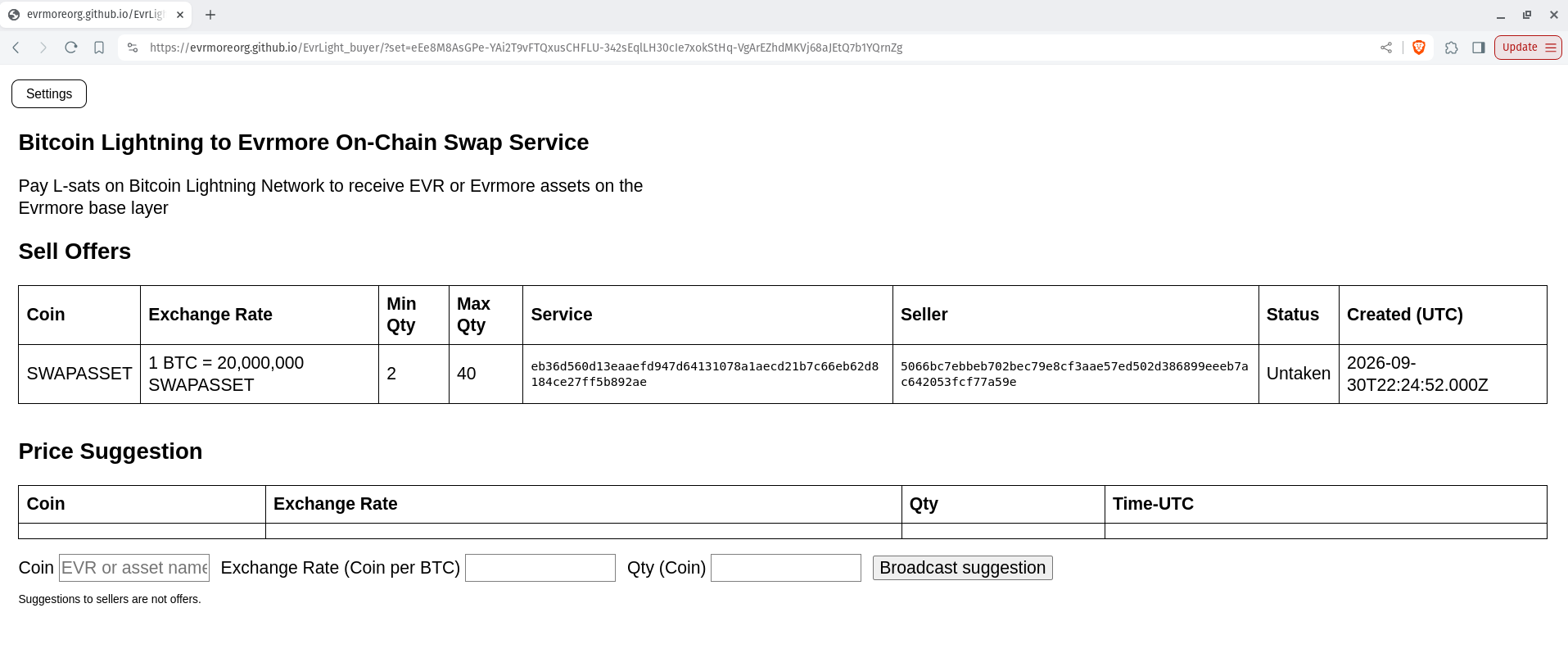
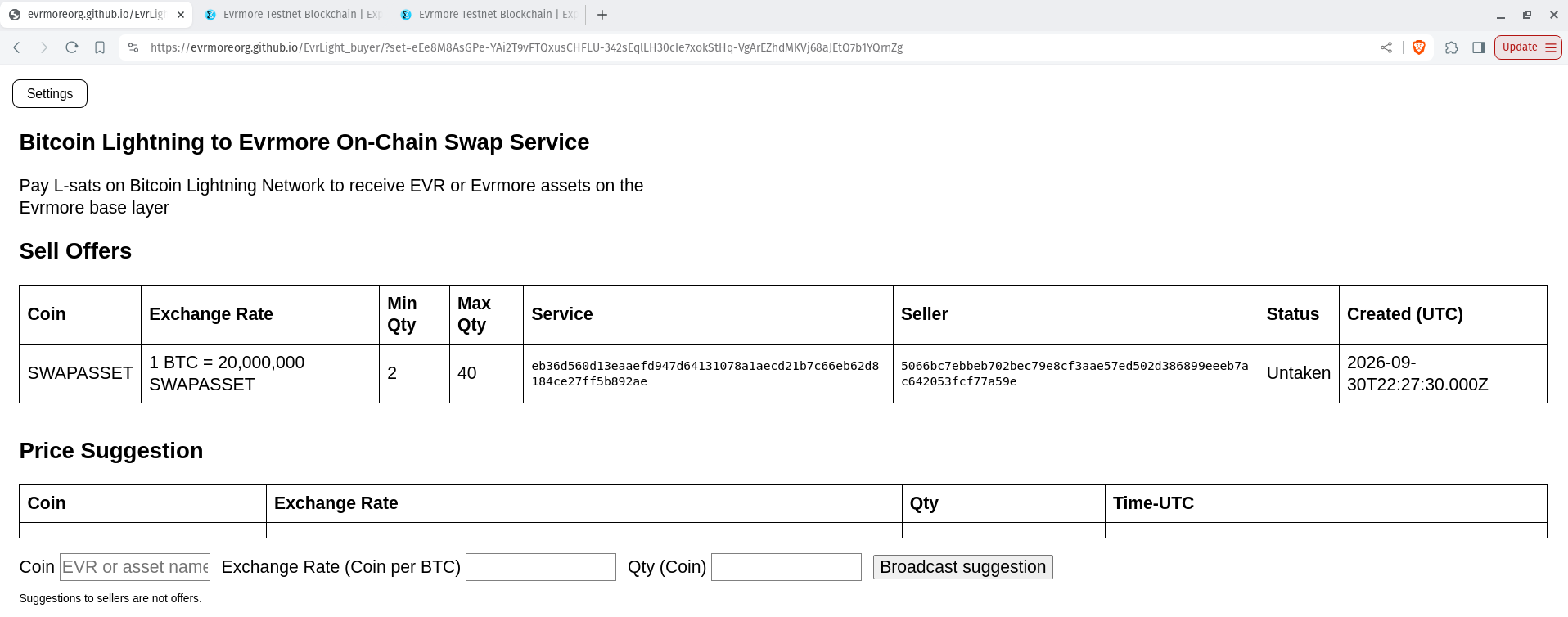
| The chart labelled "Sell Offers" can
contain multiple rows for different assets, the same
asset from different sellers (possibly at different
prices, or EVR coins. The number of rows displayed
depends on what sellers are offering, and also on
the parameter in the link which you clicked to
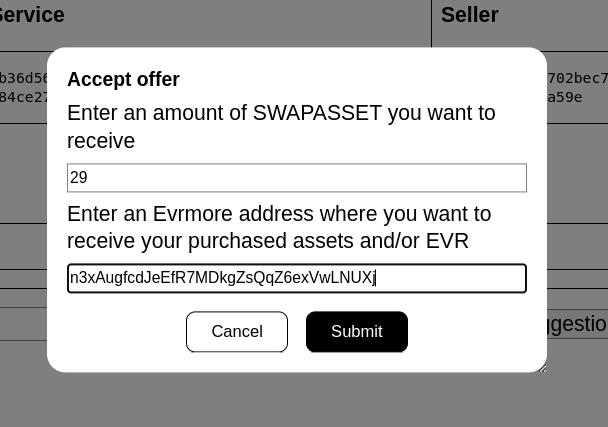
access the webpage. Click any where in the "SWAPASSET" row to indicate your desire to purchase some of those assets. You are then shown a dialogue where you select the quantity of assets which you wish to purchase at the posted price, and the Evrmore address to which you would like you purchase to be delivered. That address is needed by the demo, but in a more typical application EvrLight would already know your address from the application. Here is what the dialogue looks like: |
|
 |
|
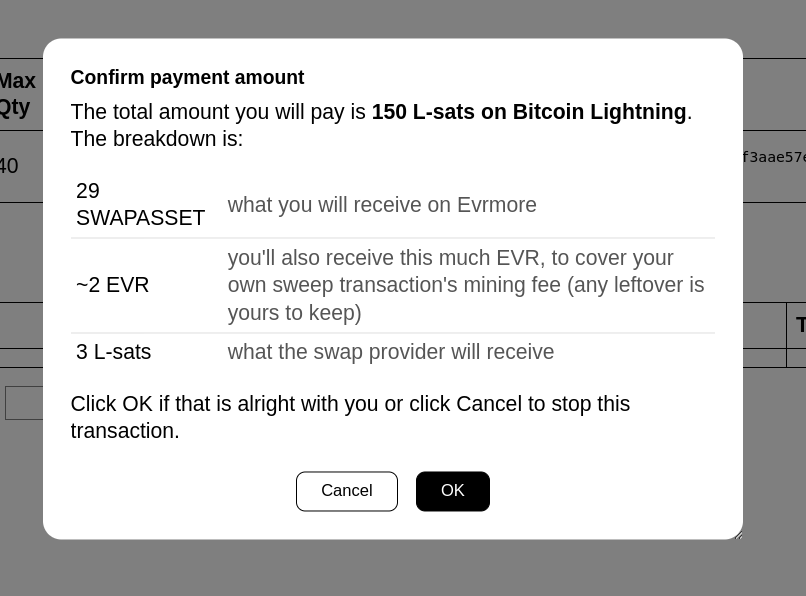
After you click the "Submit" button, you are shown the details of the transaction which will take place: |
|
 |
|
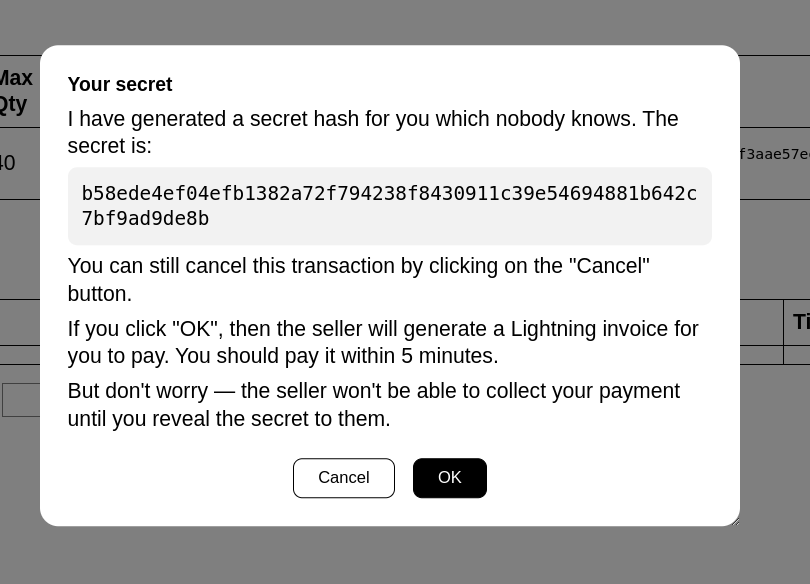
If the order details look correct, then click "OK" to proceed with the order. You are then shown more information about the order details. Click "OK" to submit the order: |
|
 |
|
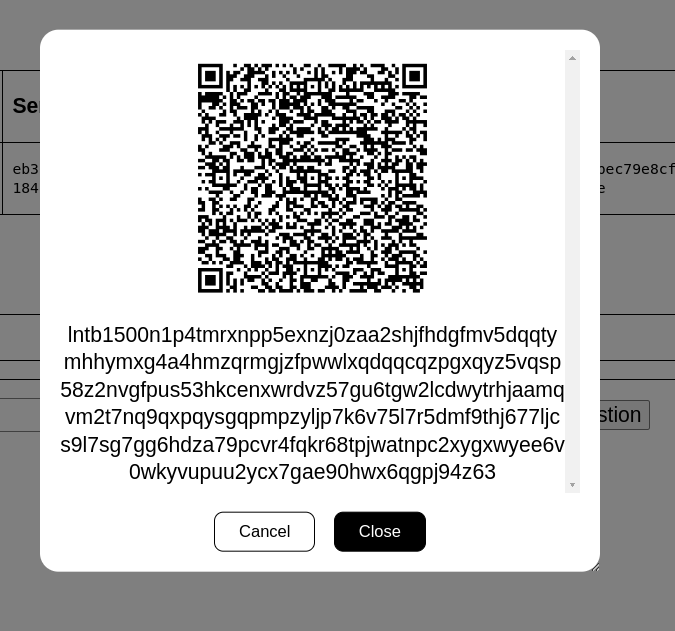
Within just a few seconds, you are then shown a Lightning invoice: |
|
 |
|
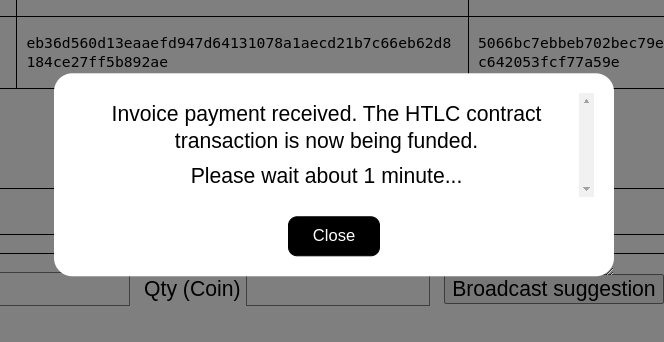
Pay the invoice within 5 minutes by scanning the QRCode with your wallet or by entering the text of the invoice. You can pay in bitcoin using a bitcoin Lightning wallet or in dollars using Block Inc's CashApp. It typically takes just 3 seconds for your Lightning payment to be received by EvrLight. You will be shown the confirmation: |
|
 |
|
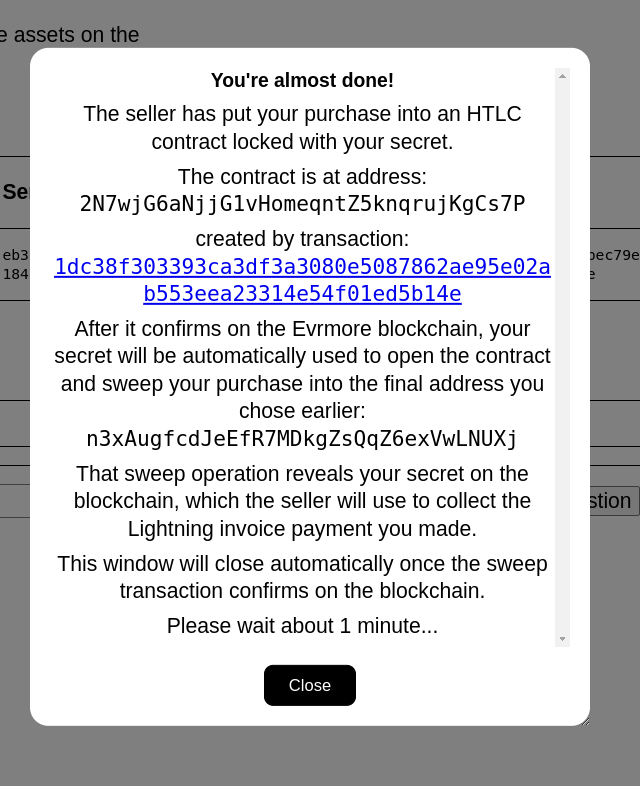
You can close the invoice payment confirmation notice. Your participation in the purchase is complete. You are done ! The on-chain contract of the purchase and final delivery of your purchase will now conclude automatically, each requiring about 1 minute to be confirm on the Evrmore blockchain by the miners. First the HTLC contract transaction: |
|
 |
|
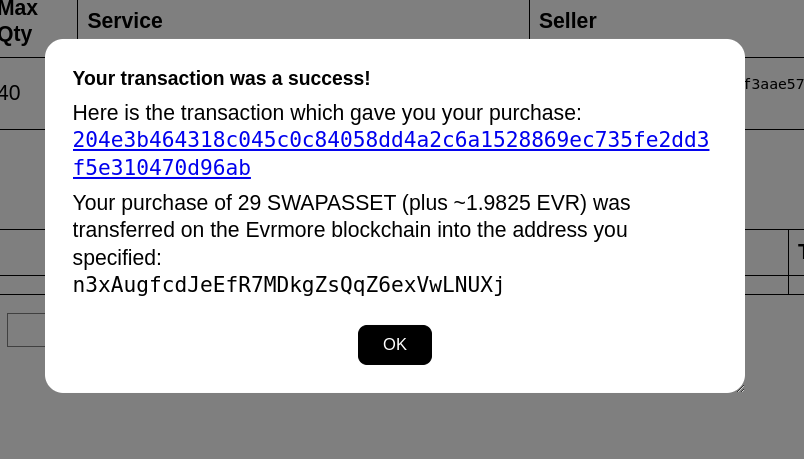
Then the HTLC sweep transaction which is the final delivery of your purchase on-chain. |
|
 |
|
| Your EvrLight asset purchase is now
complete, including on-chain miner confirmations. The EvrLight buyer webpage will now update to show the available offers for purchase: |
|
 |
|
You can now close the EvrLight demo webpage. |
Congratulations Evrmore on the EvrLight demo !!!
"In Theory There Is No
Difference Between Theory and Practice, While In
Practice There Is"
Copyright 2026 by Hans Schmidt
Note: this is in no way related to the
wonderful book "Mastering Bitcoin" by Andreas Antonopoulos